
Audit Overview
Your store's untapped revenue potential — and how to unlock it
Why We Created This Audit
We analyzed https://healthymaster.in the same way we've audited 350+ e-commerce stores — looking for the specific gaps between your current experience and what top-performing Food & Beverage stores deliver. Every finding in this report is a revenue opportunity backed by industry data and competitive benchmarks.
What We Analyzed
- UX & Conversion Design11 findings
- Performance & Speedvs 4 competitors
- Technology & App StackPlatform + 10 apps
- Industry BenchmarksFood & Beverage
Pages Analyzed
- Homepage2 findings
- Collection Pages2 findings
- Product Pages (PDP)5 findings
- Cart & Checkout2 findings
 This audit was prepared by Growisto — a CRO-led Website development team behind 167% conversion growth for Atomberg, 46% CR lift for TyresNmore, and 350+ e-commerce projects.
UX & Conversion Findings
Page-by-page analysis with visual comparisons against top Food & Beverage stores
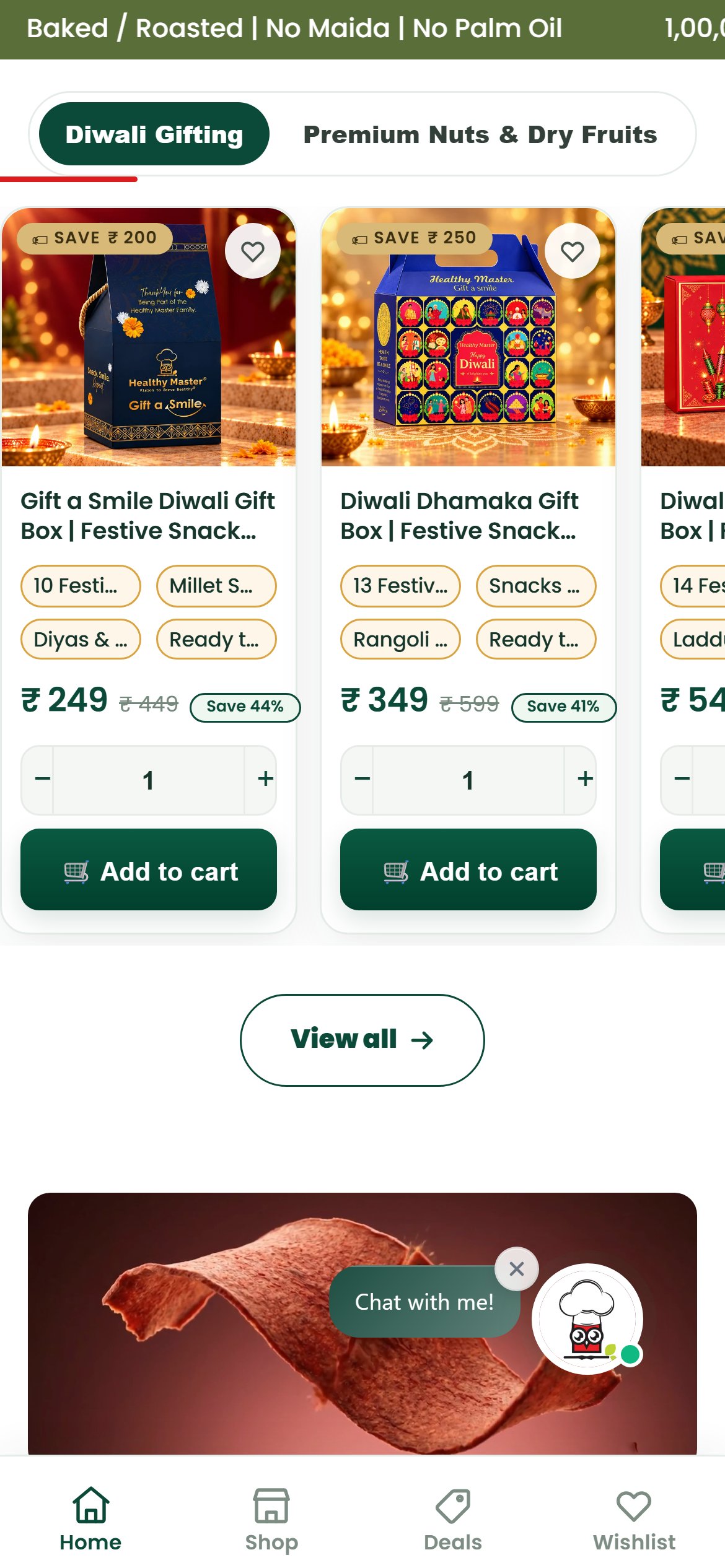
- The Bestsellers rail does have quantity steppers and an Add to cart button on each tile, so quick-add itself works.
- Tile titles are clipped mid-name ('Gift a Smile Diwali Gift Box | Festive Snack...') and the tag chips are clipped too ('10 Festi...', 'Millet S...', 'Ready t...'), so the contents of each box are unreadable without opening it.
- Gift boxes are a high-consideration purchase; shoppers adding to cart from the tile cannot see what they are buying.
- Allow two-line titles without truncation and replace the clipped chips with one readable contents line (for example 'Almonds, cashews, raisins + 2 more').
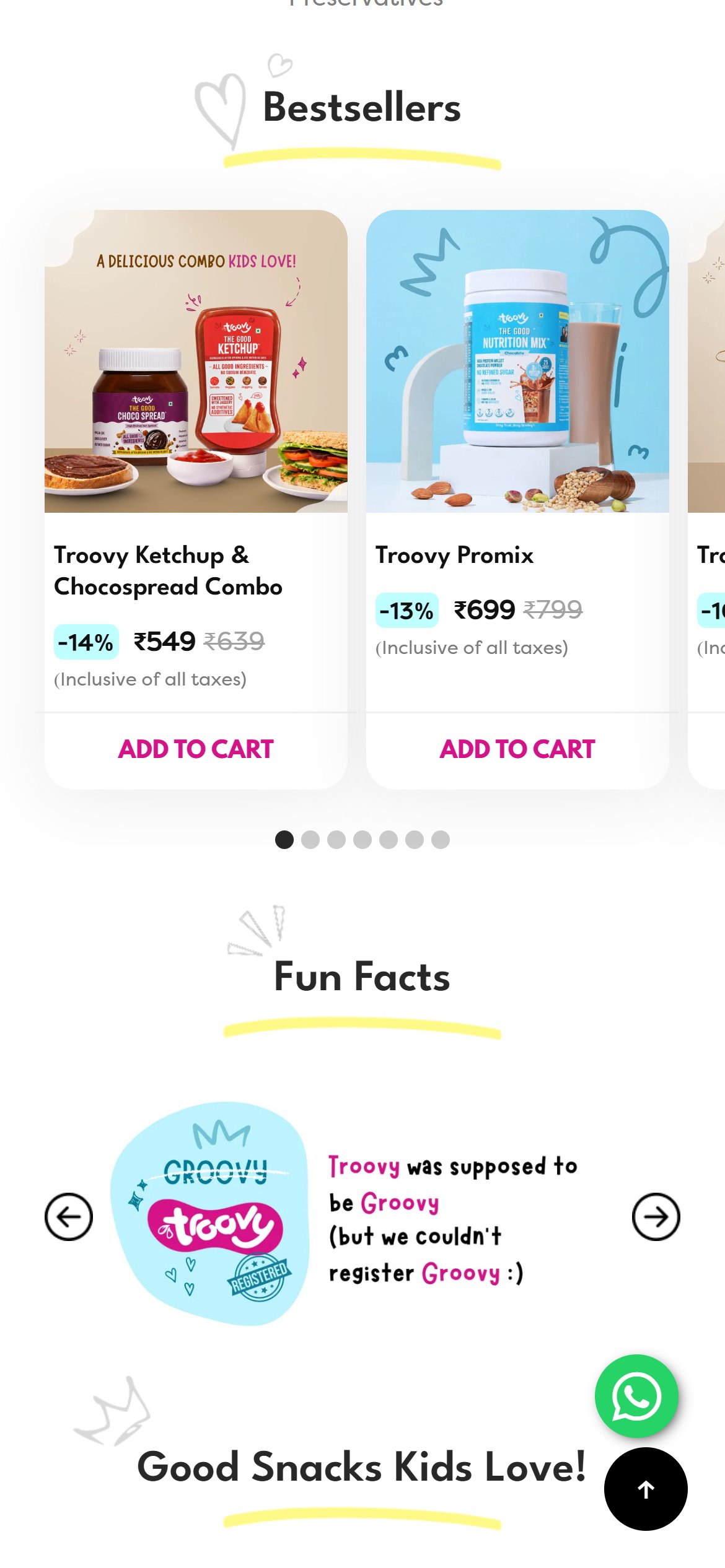
- Clear naming at the point of add-to-cart reduces blind adds and returns and lifts tile-to-cart conversion. Competitors such as Troovy already show full product names beside Add to cart on homepage tiles.
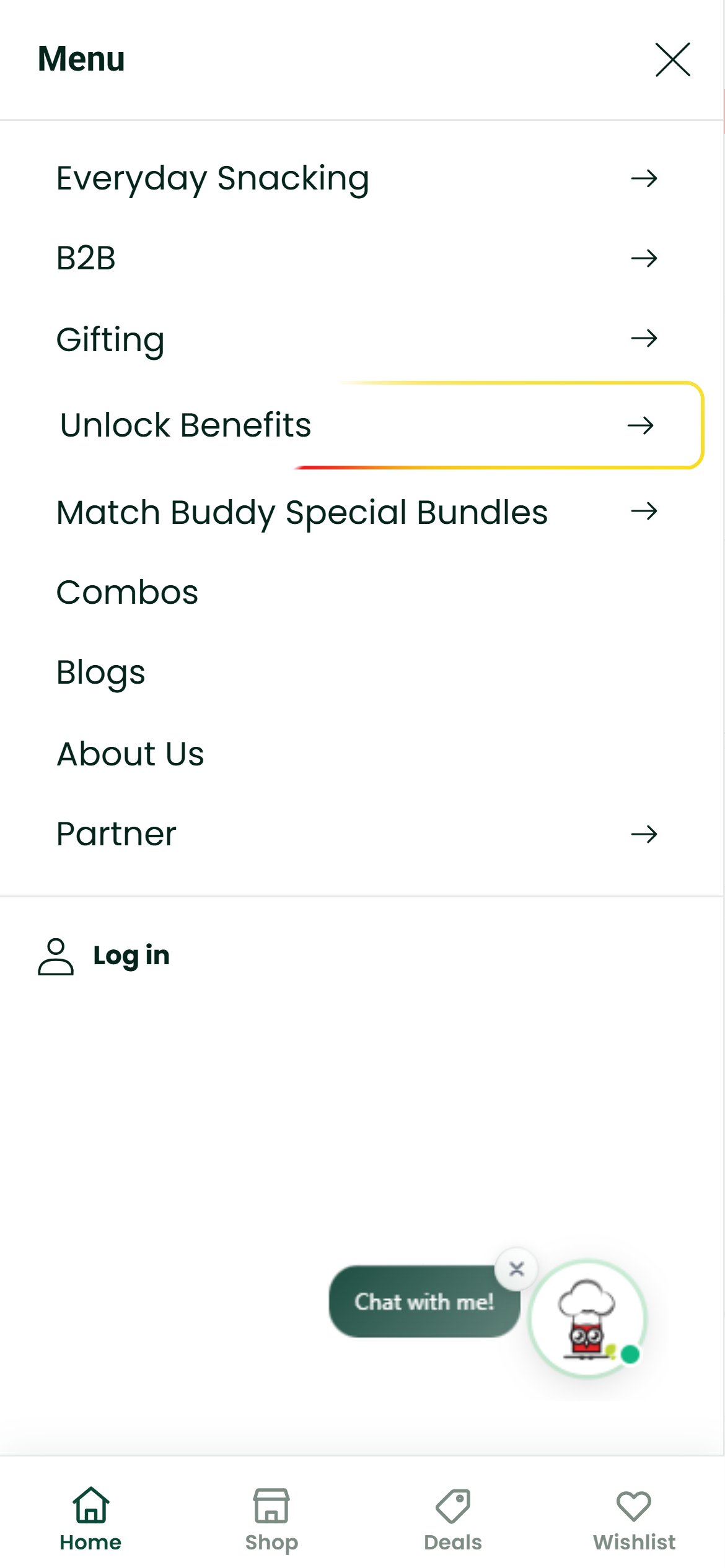
- The homepage opens with a shortcut row of 9 tiles, all product types: Light & Crispy Chips, Khakhra, Millet Cookies / Biscuits, Millets Snacks, Roasted & Flavoured Makhana, Noodles-Vermicelli, Millet Pasta, Sweet Treats and Tea Time Snacks.
- The store already has dietary and need-based collections — Gluten Free, Jain Food, Kids Favourite — but none of them appear in that row.
- Jain Food is only reachable two levels deep in the menu, Gluten Free shows only in the menu and on one rotating hero slide, and Kids Favourite sits far down the homepage, so a shopper arriving with a dietary need has no direct route.
- Add 3-4 need-based tiles (Gluten Free, Jain, High Protein, Kids) to the existing shortcut row, or add a second 'Shop by need' row directly beneath it, linking straight to those collections.
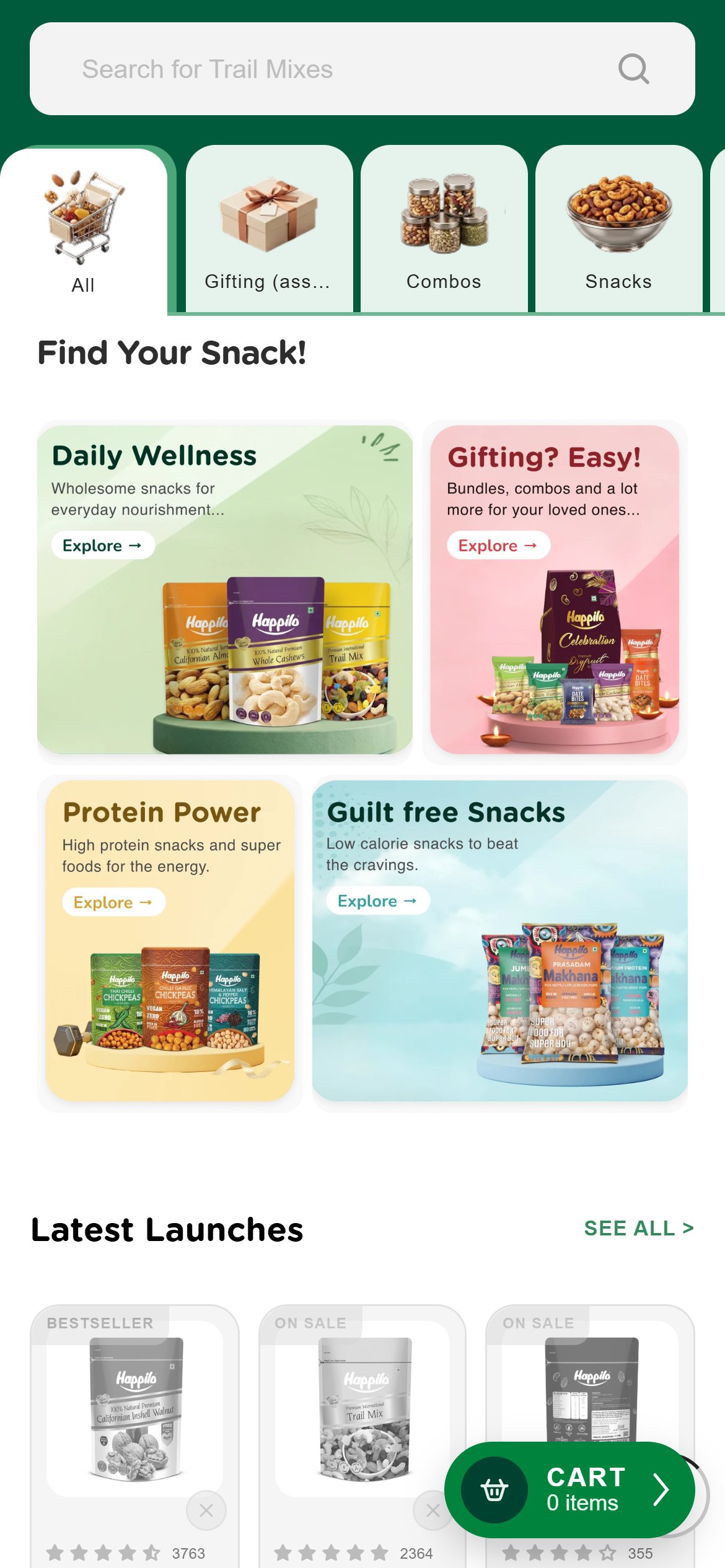
- Direct need-based routes shorten the path to the right product for health-focused shoppers. Competitors such as Happilo already offer need-based tiles like Daily Wellness, Protein Power and Guilt Free on the homepage.
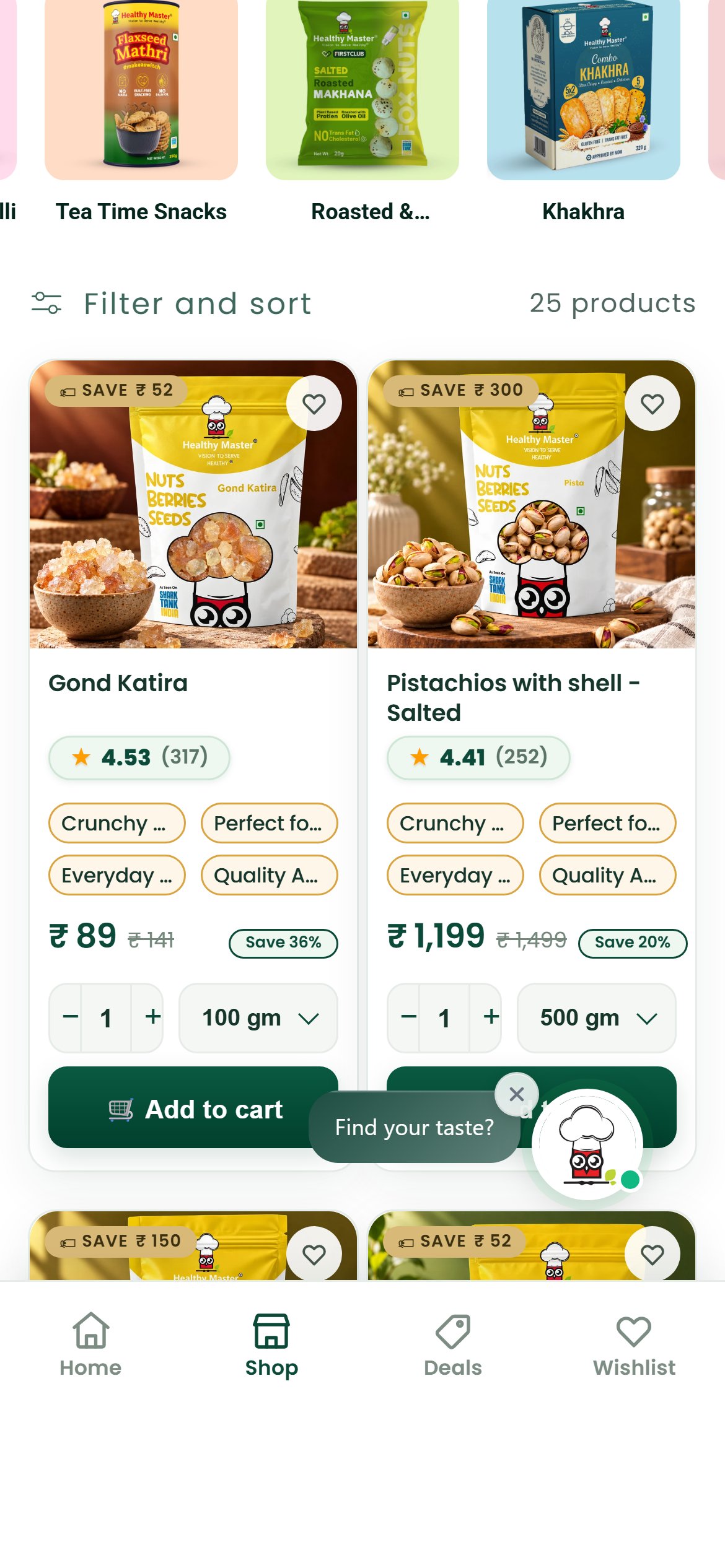
- Every card in the collection carries the same four tags: 'Crunchy & Delicious', 'Perfect for Gifting', 'Everyday Snacking' and 'Quality Assortment', each cut off with an ellipsis on the 2-column mobile grid.
- The tags are identical for Gond Katira and Pistachios, so they carry no information that helps a shopper choose between products.
- Each card also shows the saving twice — a 'SAVE ₹' badge on the image and a separate 'Save %' pill — which adds clutter to a 178px-wide tile without adding information.
- On the right-hand column the floating chat bubble also sits over the Add to cart button of the first row of cards.
- Replace the generic tags with one short product-specific line per card (origin, 'no added sugar', roast type, protein or pack note) taken from product data, and keep a single saving label.
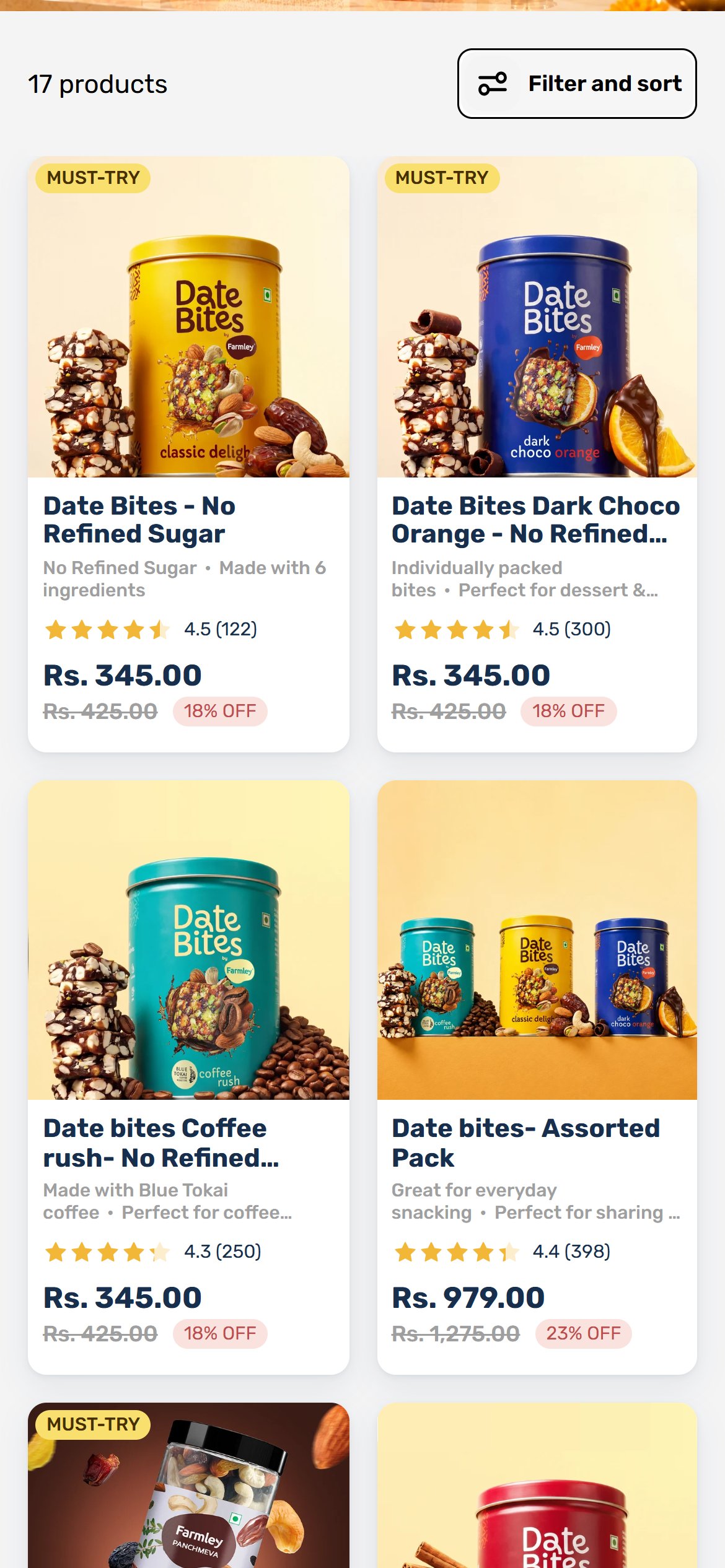
- Specific tile information helps shoppers decide without opening every product page and raises tile-to-PDP and add-to-cart rates. Competitors such as Farmley already show a product-specific descriptor line under each name.
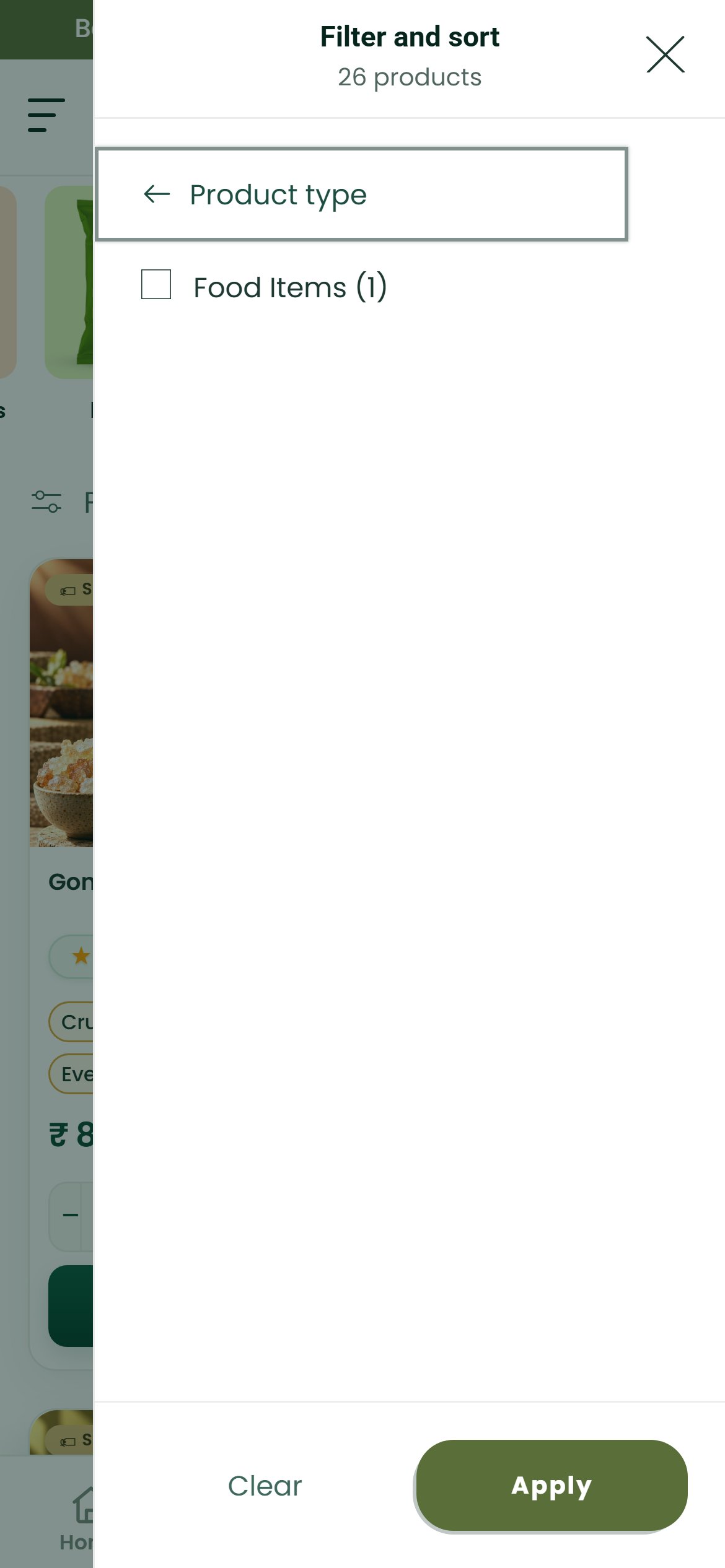
- Filter and sort opens with Price, Product type and Size only; there is no dietary, need or ingredient facet.
- Product type offers a single option, 'Food Items (1)', which cannot narrow anything on a collection of 25 products.
- The Size facet lists '250 gm' and '250gm' (and '100 gm' and '100gm') as separate entries with separate counts, a sign of inconsistent variant naming.
- Remove the single-option Product type facet and add dietary and need facets (Gluten Free, Jain, High Protein, Sugar-free) driven by product tags.
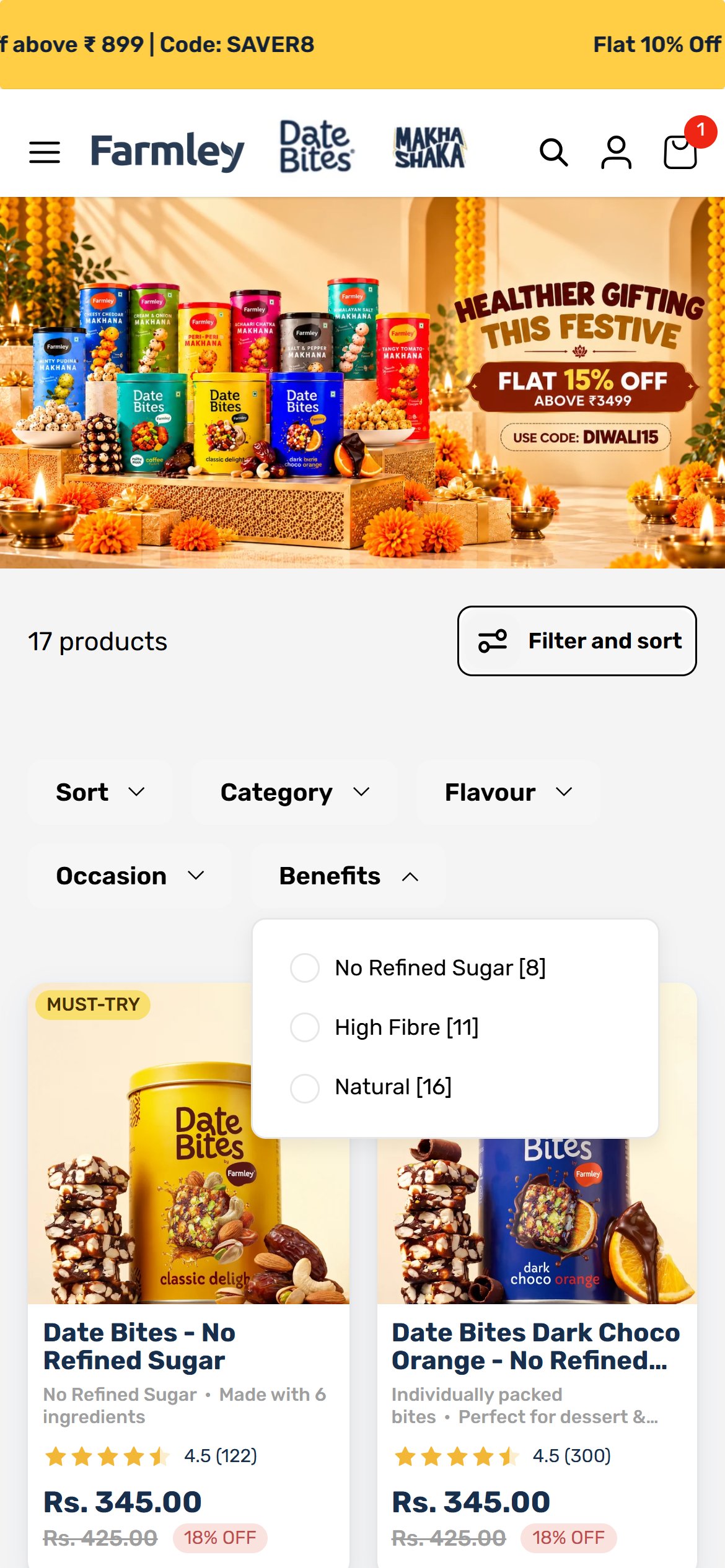
- Normalise size values so each weight appears once; cleaner facets make large catalogues easier to browse and improve findability on mobile. Competitors such as Farmley already offer Benefits facets (No Refined Sugar, High Fibre, Natural) in the mobile filter drawer.
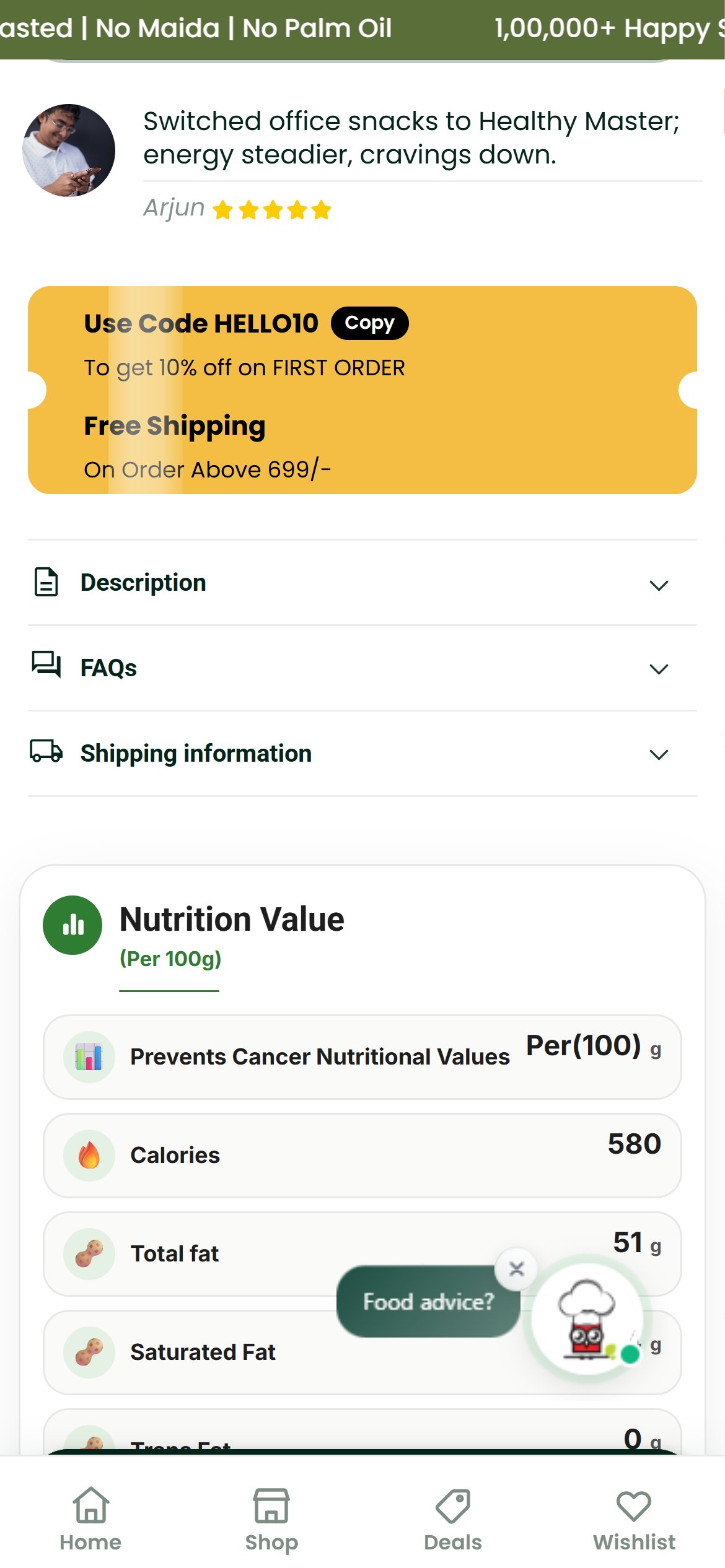
- The main Add to cart button already sits low: on chips pages such as Beetroot Chips its top edge is about 1,364px down, roughly 1.6 screens, below the gallery, 3 service badges, 4 tags, 4 sizes and 4 bundle cards.
- The PDP loads a sticky add-to-cart bar once the main button scrolls out of view, but it is fixed to the same bottom edge as the 4-tab dock (Home, Shop, Deals, Wishlist), which sits on top of it.
- Tapping the position where the sticky button should sit hits the dock link instead, so the bar is effectively invisible; only a thin sliver shows above the dock.
- In the frame the shopper is deep in the nutrition section with no add-to-cart control on screen, and the floating chat bubble covers more of the content.
- Offset the sticky bar above the dock (or hide the dock on product pages) so the Add to cart button stays visible and tappable while the shopper reads nutrition and reviews.
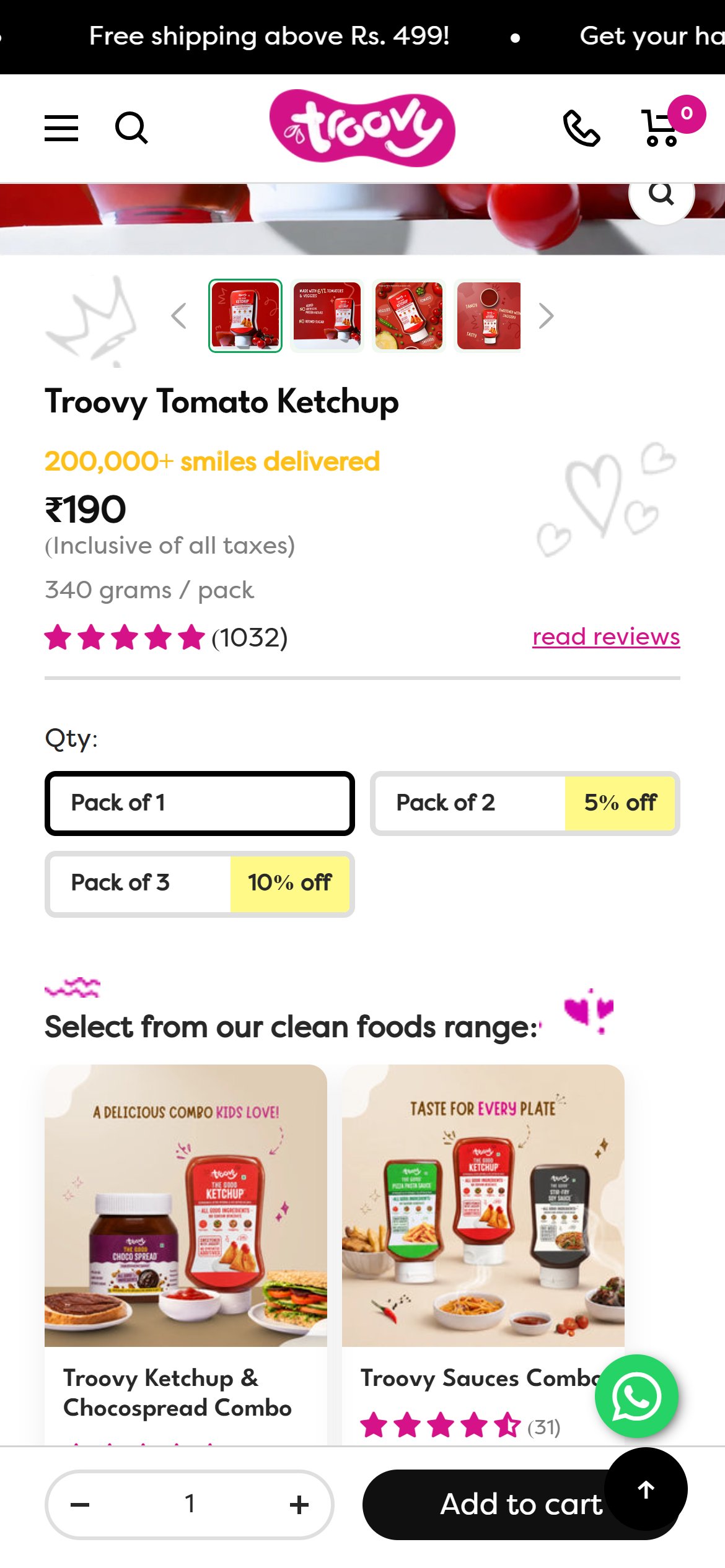
- A working sticky button removes the scroll back to the buy box and lifts add-to-cart rate on long pages. Competitors such as Troovy already keep a full-width sticky buy bar visible on mobile.
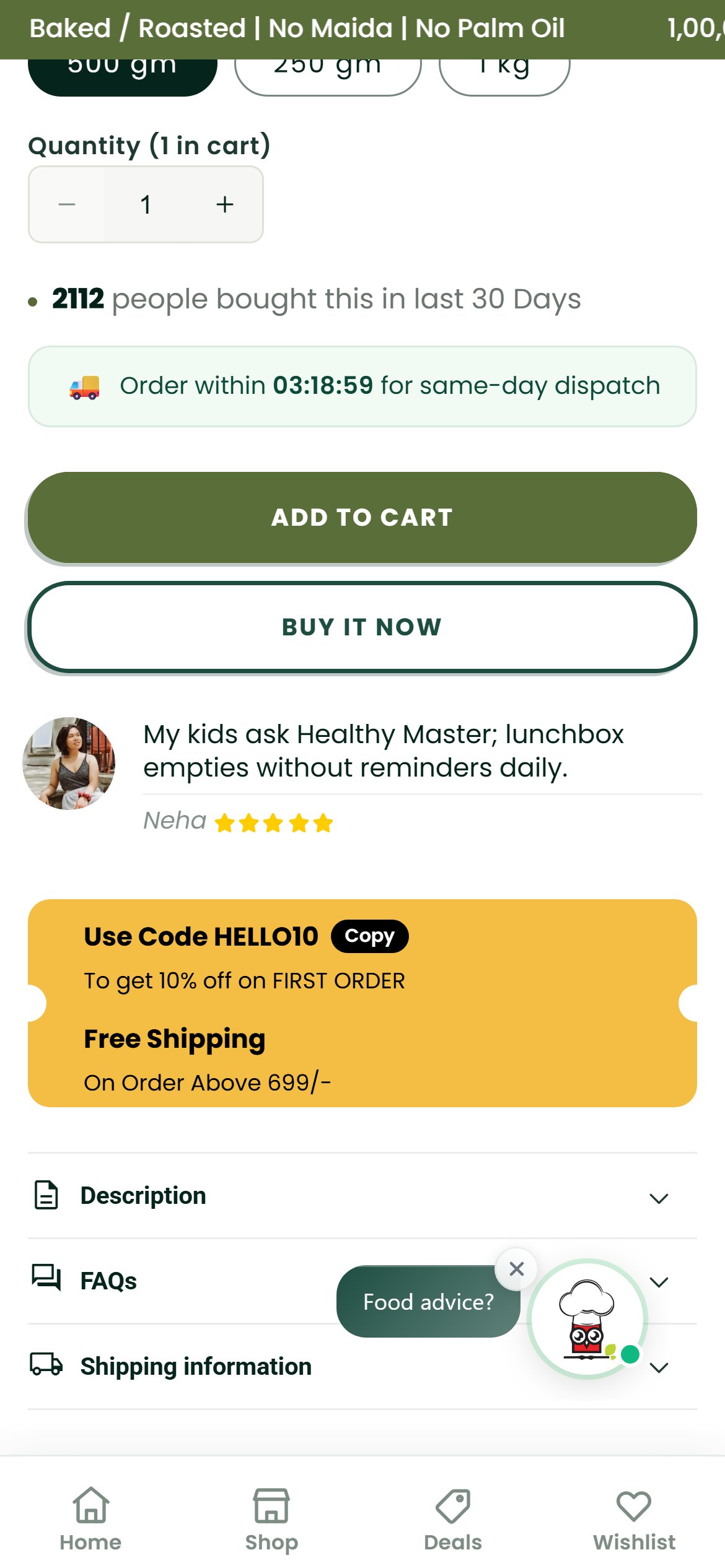
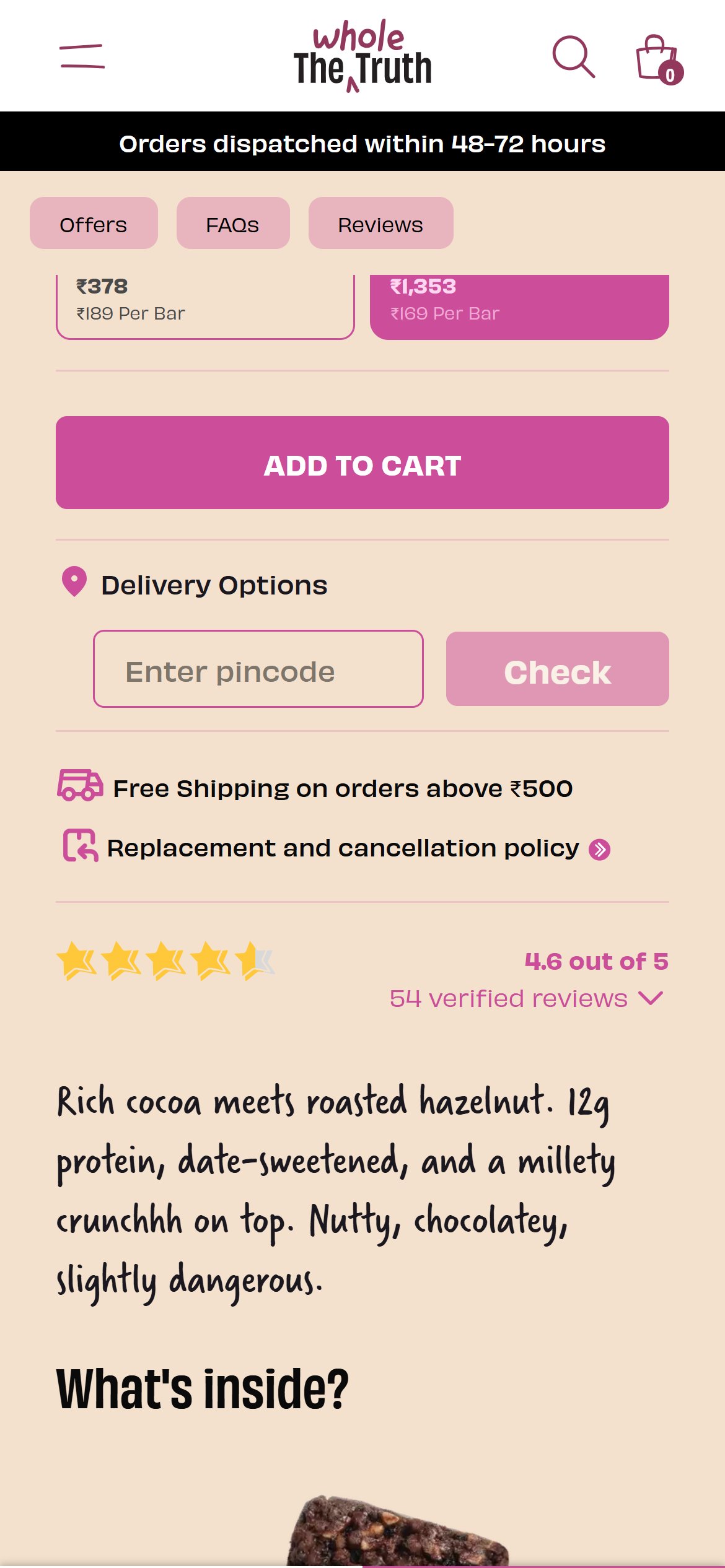
- Near the buy buttons the page shows only a same-day dispatch countdown; there is no pincode field and no delivery date anywhere on the product page.
- The collapsed Shipping information accordion holds three generic lines: Cash on Delivery Available, Express Delivery Available and SSL Certificate Checkout.
- Indian shoppers ordering snacks and gifts want to know whether and when it arrives before committing.
- Add a pincode input with 'Delivery by
' and COD availability directly under the quantity and buy buttons. - Answering delivery questions on the page removes a common reason to leave before checkout and supports conversion on gifting orders. Competitors such as The Whole Truth already offer a pincode check on the product page.
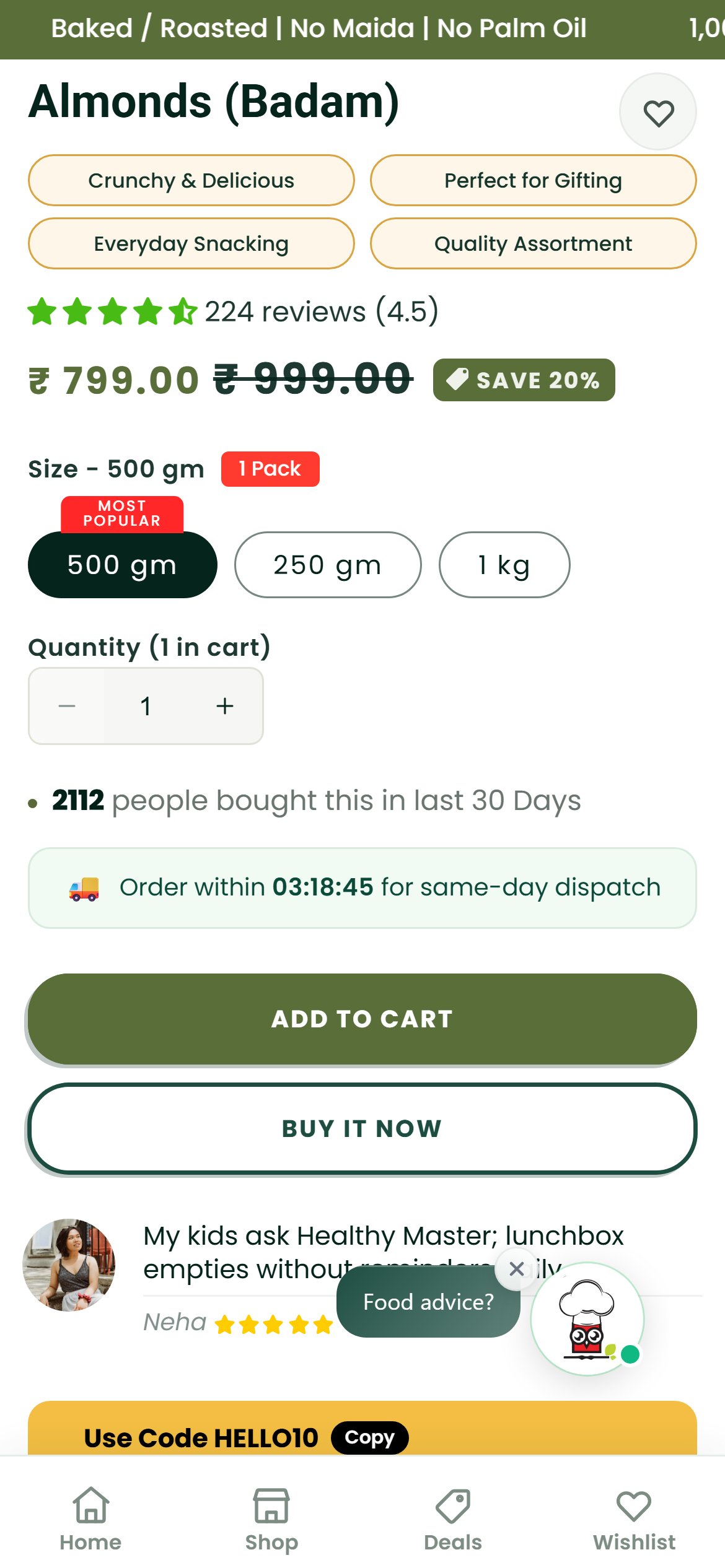
- The Almonds (Badam) page shows 224 reviews and ₹799 for 500 gm (displayed as ₹799.00 against an MRP of ₹999.00), with 250 gm at ₹399 and 1 kg at ₹1,599 — yet nothing in the buy box speaks to quality or returns.
- Three chips above the product title read Fast Shipping, Instant Support and COD Available; they sit well above the buy buttons.
- No clean-label claim (no preservatives, no maida, no palm oil) and no returns, refund or cancellation line appears near add to cart, even though the store's refund policy covers damaged-in-transit orders and 24-hour cancellations.
- For a food product, shoppers look for quality reassurance and a way out before paying; the buy box currently offers neither.
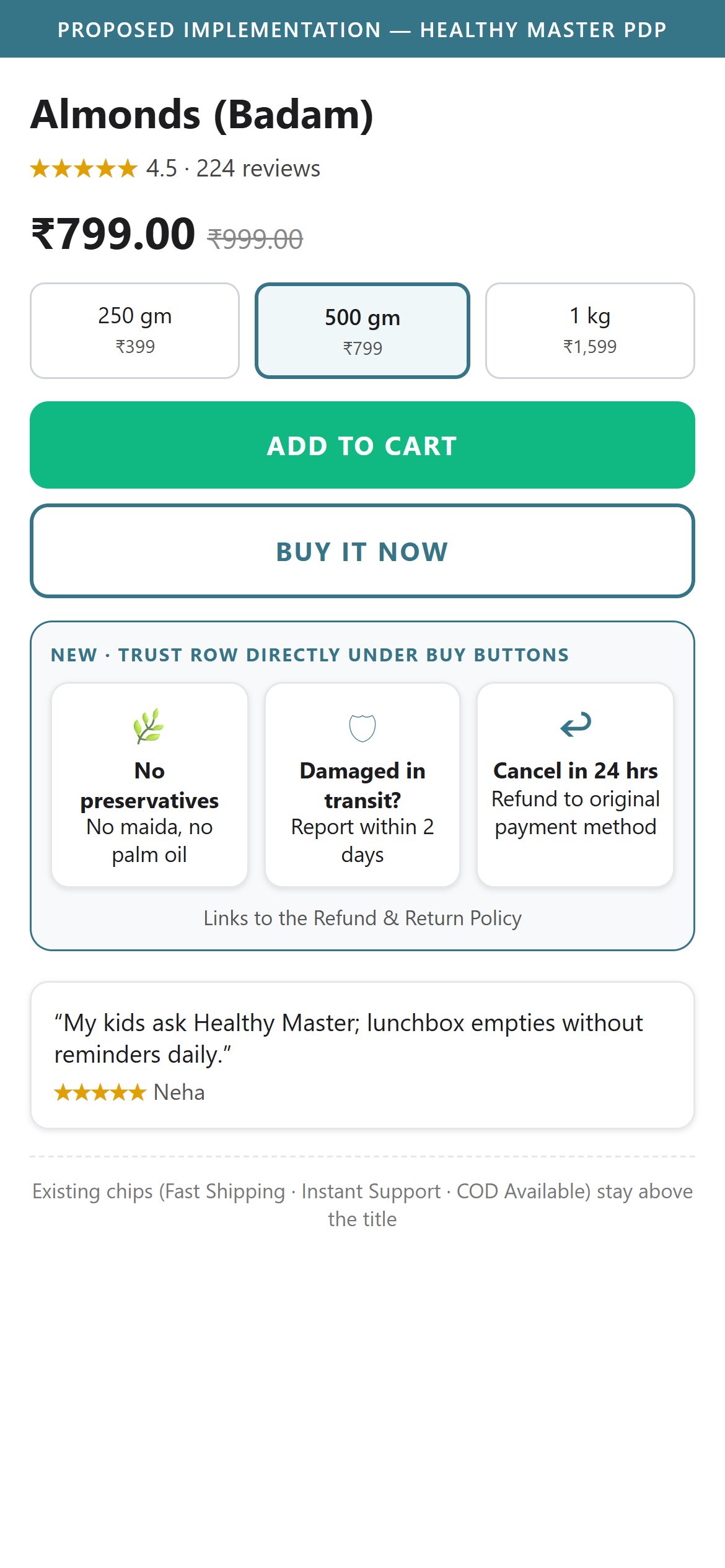
- Add a compact row under the buy buttons with the clean-label promise (no preservatives, no maida, no palm oil) and the existing policy terms: damaged-in-transit cover and 24-hour cancellation with refund to the original payment method.
- Reassurance next to the call to action reduces purchase hesitation on first orders.
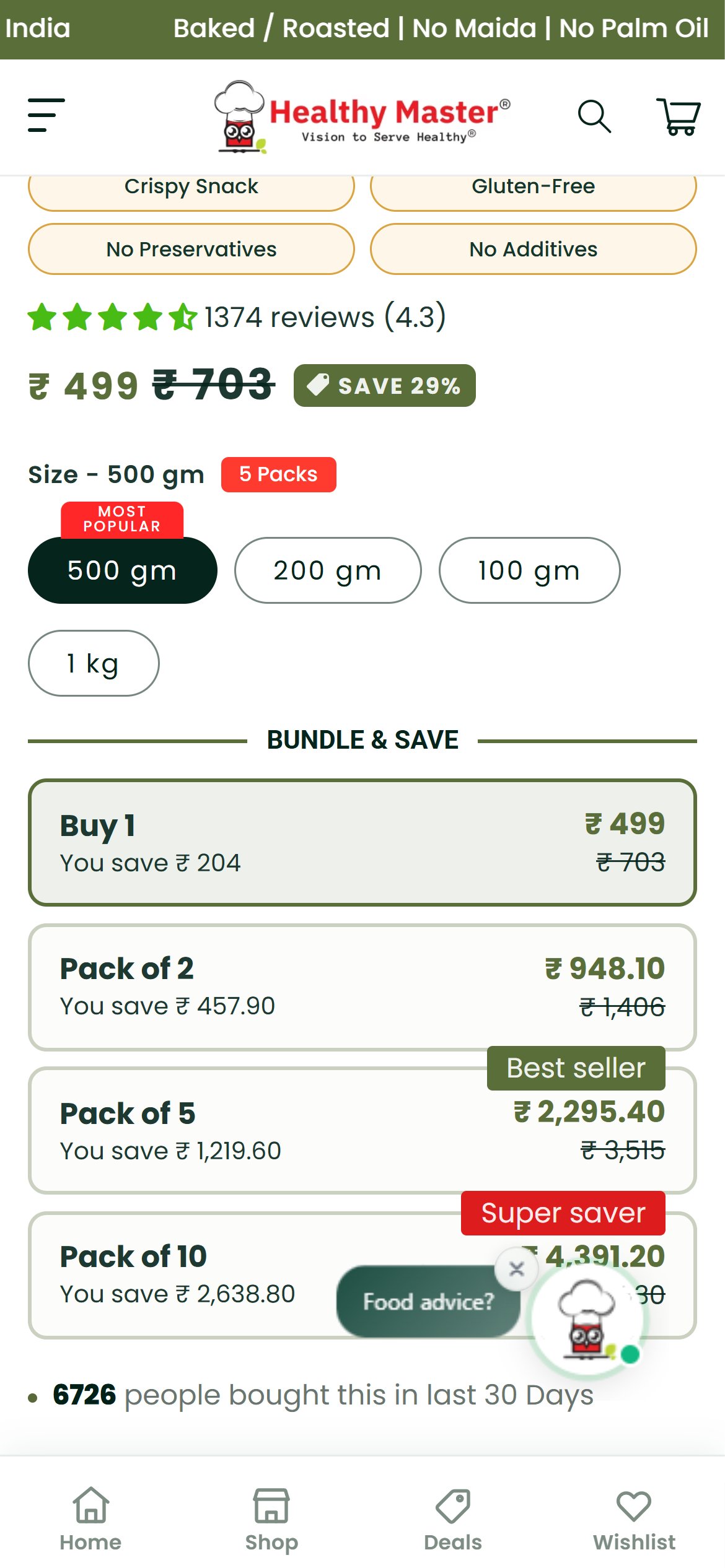
- Most chips product pages (Beetroot, Ragi, Soya, Palak, Quinoa, Jowar) open with 500 gm at ₹499 pre-selected and marked 'Most Popular', even though 200 gm (₹199) and 100 gm (₹99) packs exist; only Oats opens on 100 gm.
- At ₹499 a first order sits ₹200 short of the ₹699 free-delivery and freebie threshold, and it is a large commitment for a shopper trying a new chips flavour.
- The Bundle & Save cards multiply the same flavour and size: Pack of 10 is ten 500 gm packs of Beetroot (5 kg) for ₹4,391.20, with no way to mix flavours.
- Pre-select the 200 gm or 100 gm pack for first-time visitors, and replace the same-flavour multiples with a 'Pick any 3' mixed-flavour pack priced just above ₹699 so a first order clears free delivery.
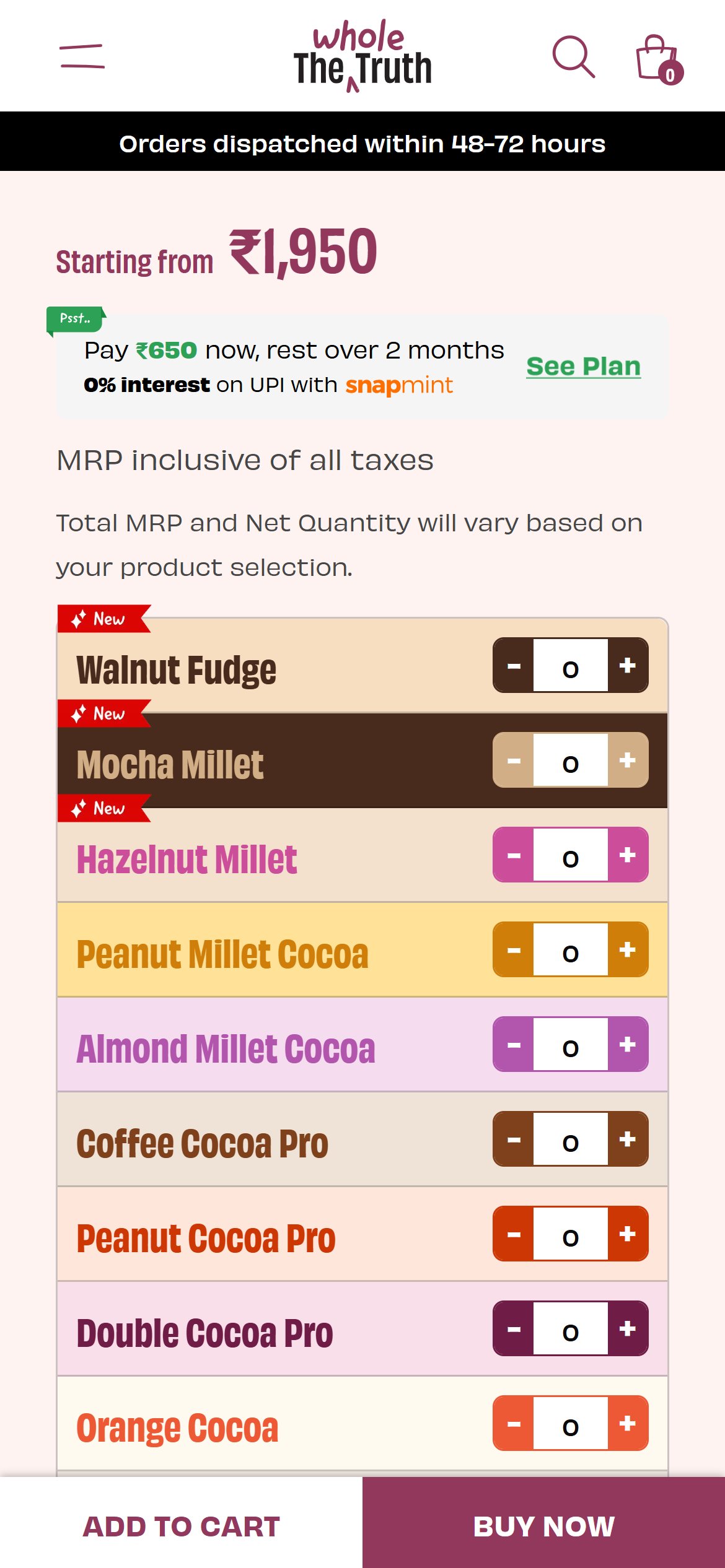
- A low-risk trial size plus a variety pack lowers the barrier to a first purchase and lifts order value at the same time. Competitors such as The Whole Truth already let shoppers build a mixed box flavour by flavour on the product page.
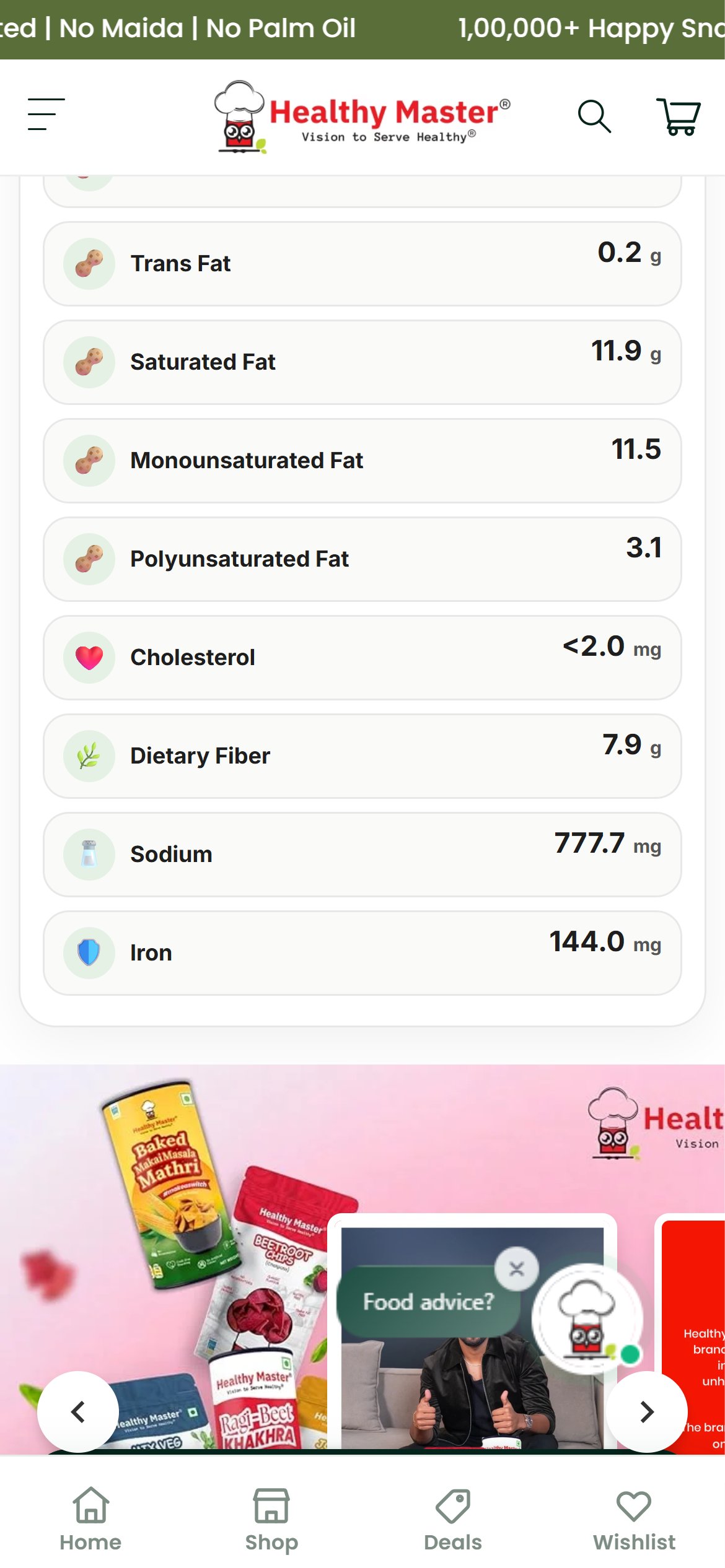
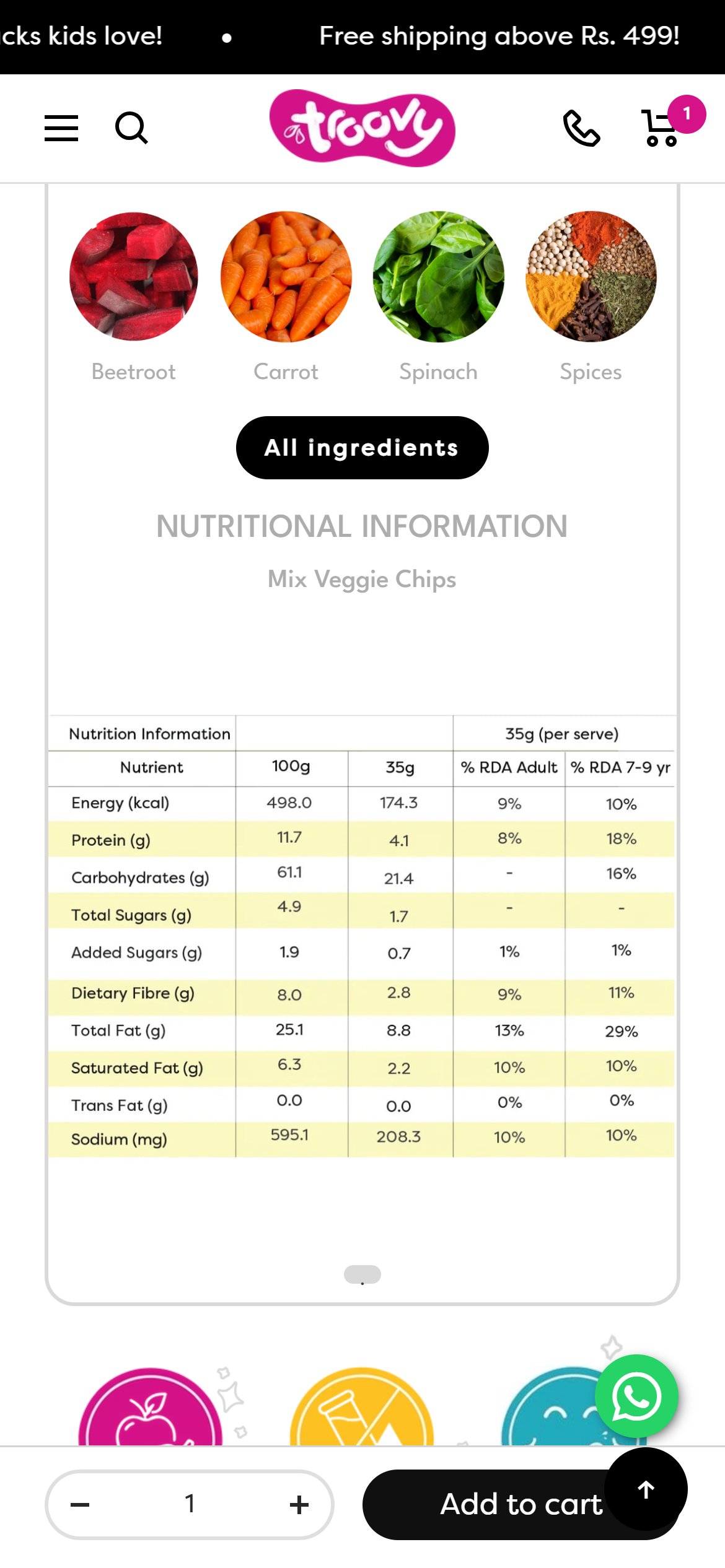
- The Beetroot Chips nutrition panel lists 'Iron 144.0 mg' per 100 g, which is almost certainly a data-entry error for a chips product.
- The ingredient list pairs a cherry icon with 'Beetroot Puree' and an olive icon with 'Refined Sunflower Oil', so the visual cues contradict the text.
- Health-focused shoppers read this panel closely before buying a 'better-for-you' snack; one visibly wrong number undermines every other claim on the page.
- Audit nutrition values and ingredient icons across all products against the pack labels, starting with Beetroot Chips, and show them in a structured per-100 g table.
- Accurate, clearly laid-out nutrition data builds the trust a health brand sells on. Competitors such as Troovy already show a structured per-100 g and per-serve nutrition table with % RDA on their chips pages.
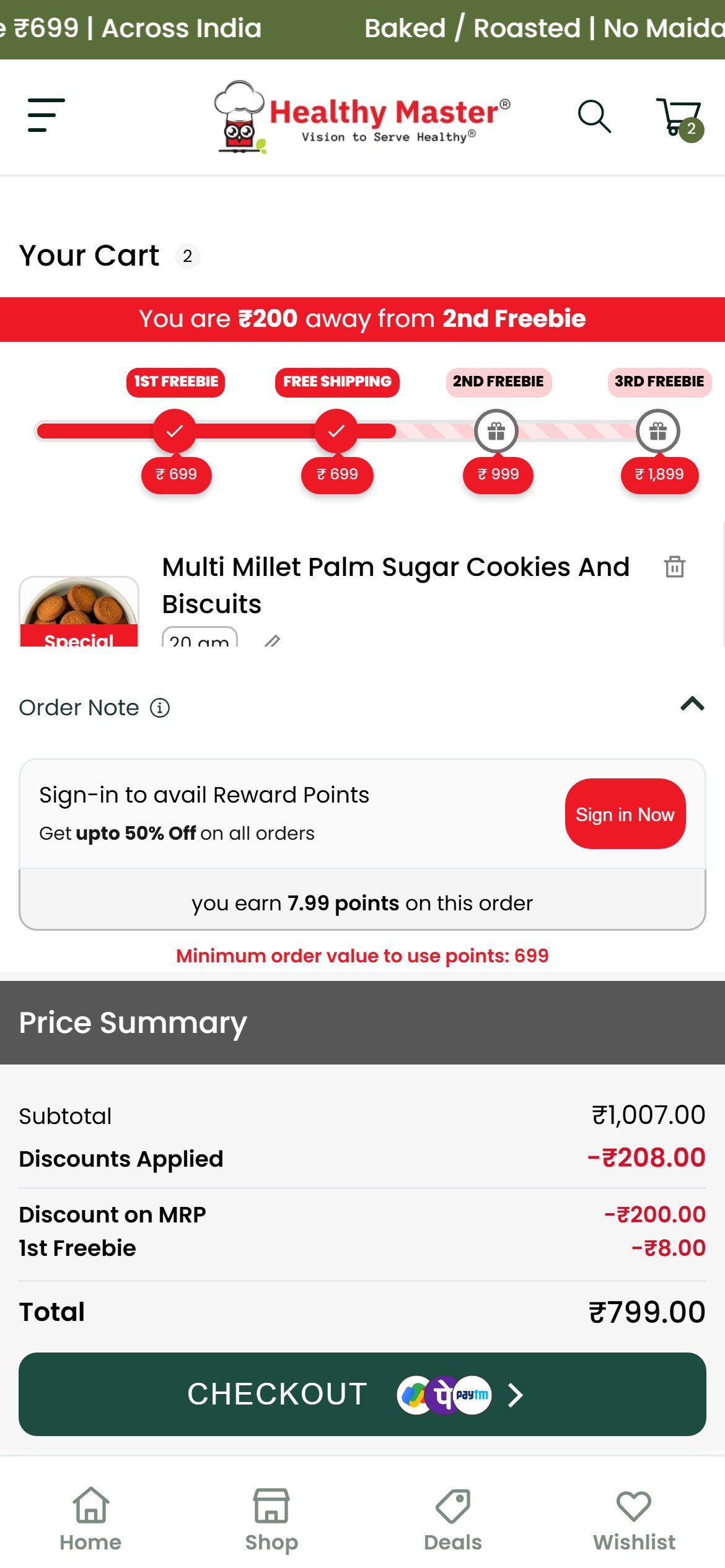
- With the almonds in the cart plus the auto-added free gift, the /cart page shows only the top of the free gift row between the progress bar and the Order Note panel.
- The paid product and its quantity stepper sit below the fold of that tiny inner scroller, so a shopper opening /cart sees a reward panel and a Price Summary but not the item they are buying.
- The checkout button is reachable, but the shopper cannot review or change quantity without discovering the inner scroll.
- Let the line items render at full height on /cart and move the Order Note and rewards panel below the list.
- A visible list with quantity steppers builds confidence at the last step before checkout. Competitors such as Farmley already show the item, quantity stepper and savings clearly in the cart.
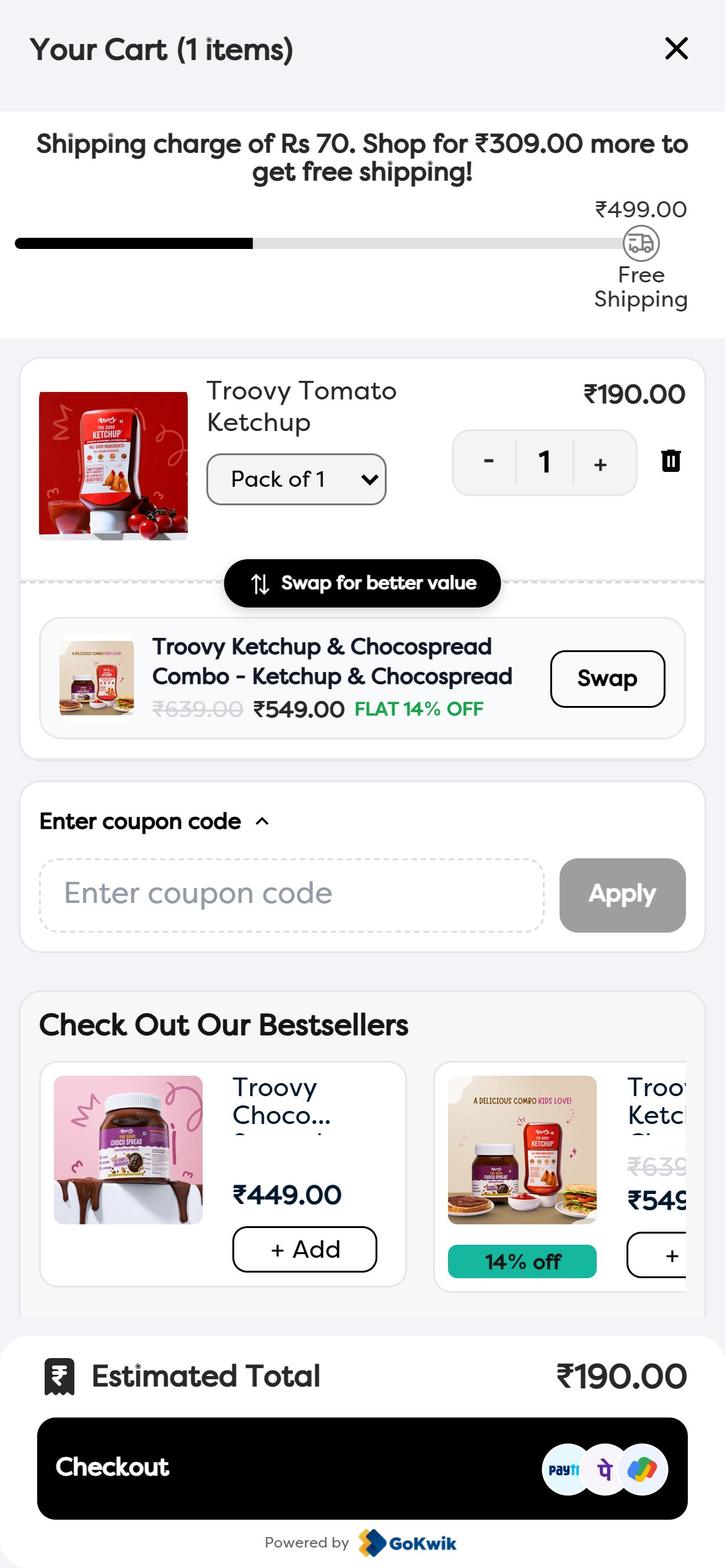
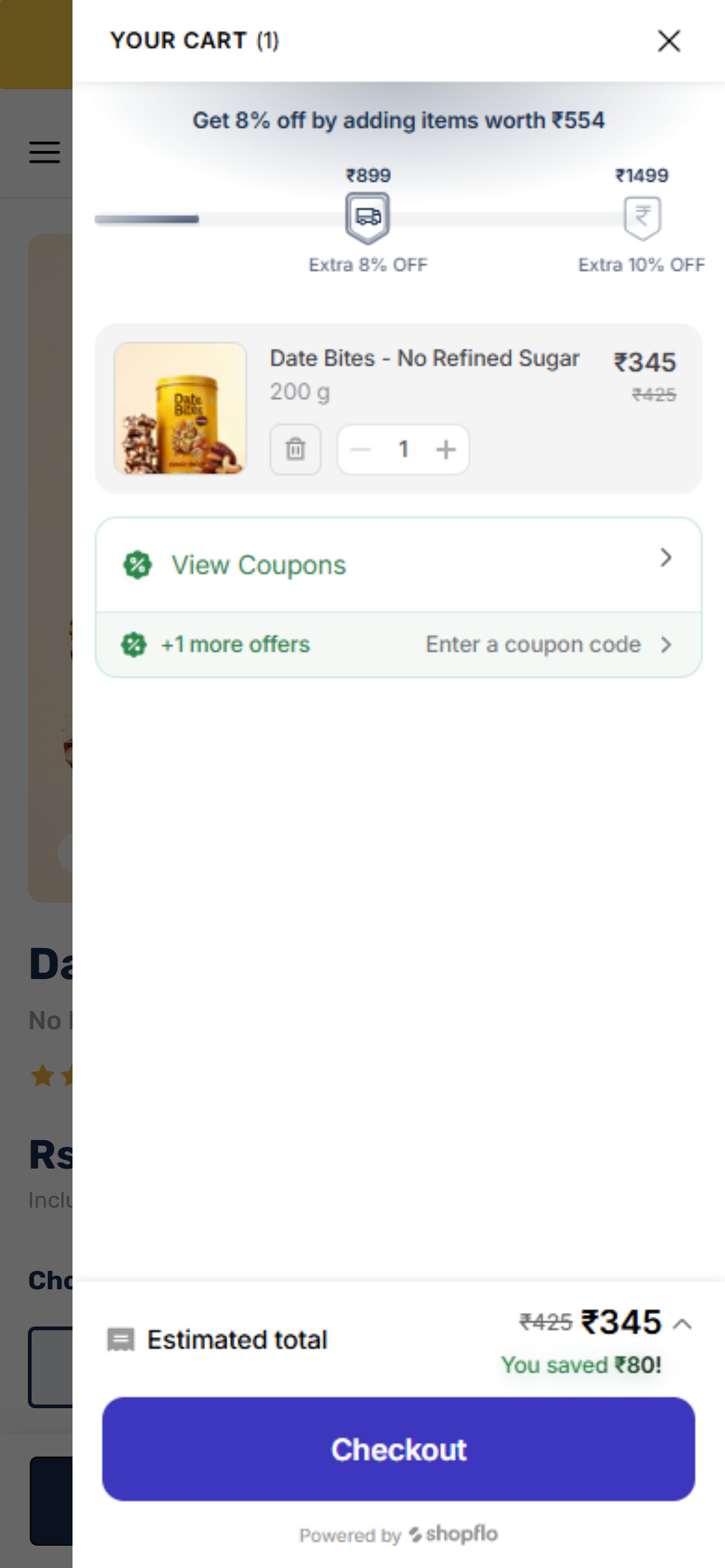
- With a single small item the drawer shows 'People also bought' clearly, so cross-sell exists.
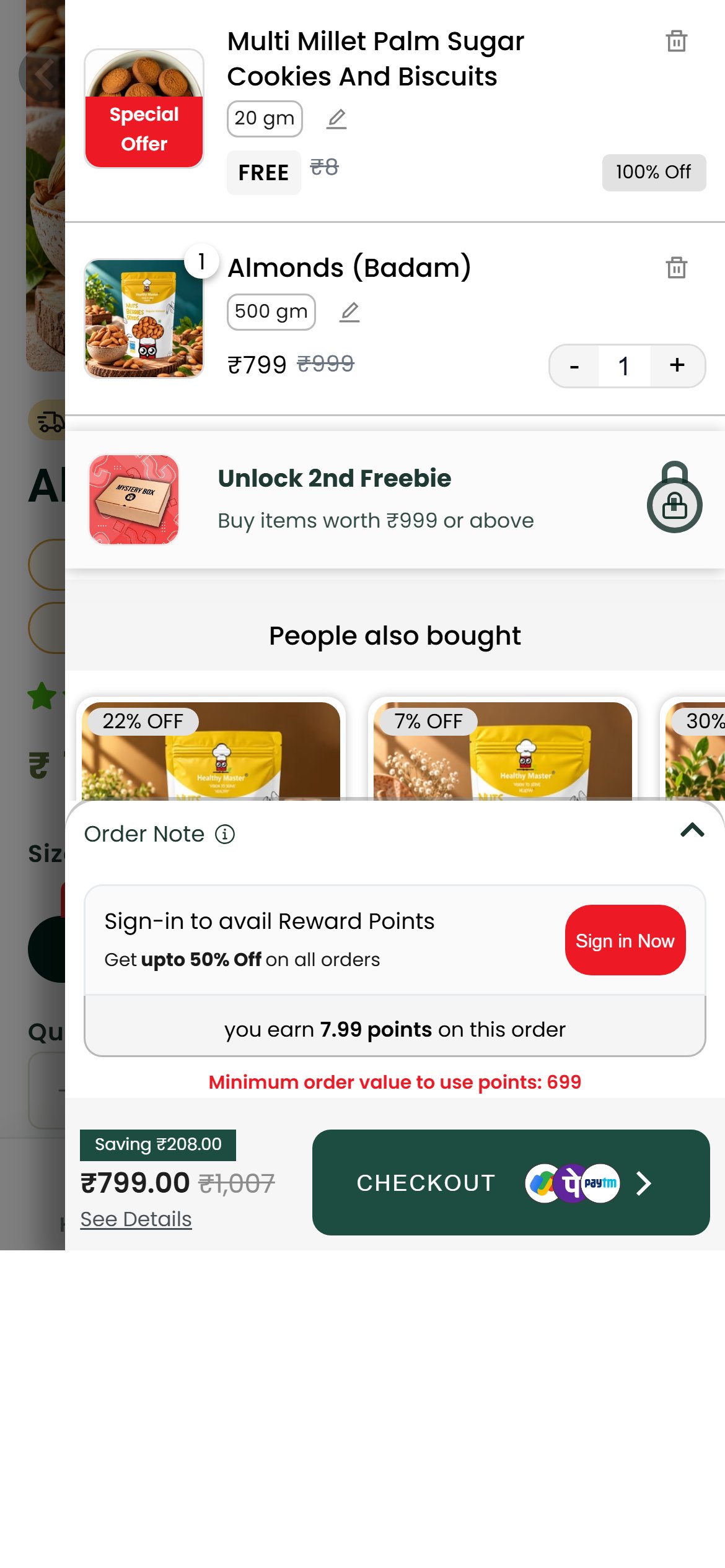
- Once the order crosses ₹699, a free gift is auto-added as a second line and the Order Note panel expands with the rewards sign-in block; together with the checkout bar they take the lower half of the screen.
- In that state only the top edge of the recommended product photos is visible — names, prices and Add buttons are hidden, exactly when the shopper is close to the next freebie tier (₹999).
- Collapse the Order Note and rewards block by default and keep the recommendation row directly under the line items, with names, prices and one-tap Add visible at every cart size.
- Visible add-ons are a direct lever on basket size, which matters most for a free-delivery threshold. Competitors such as Troovy already show an upsell attached to the line item inside the cart.
App Ecosystem
What's installed vs what's missing from best-in-class Food & Beverage stores
Present (10)
Missing (3)
App Stack Assessment
The app stack is solid on social proof and loyalty. Subscription and delivery estimate tools are the main missing categories, and the chat widget needs repositioning on mobile.
Confidential — Prepared for Healthy Master by Growisto | October 2026